

Publish and manage websites
in any AI chat
Describe your idea, and Page Lemon handles the rest: user sign-ins, live databases, APIs for mobile apps, payments and subscriptions, notifications, and security, all through simple text prompts.
Deploy on PageLemon.com
Free to startCustom domainWeb and mobile apps
One chat does it all
Ask your AI in plain words. Page Lemon runs the backend behind it.
Edit together
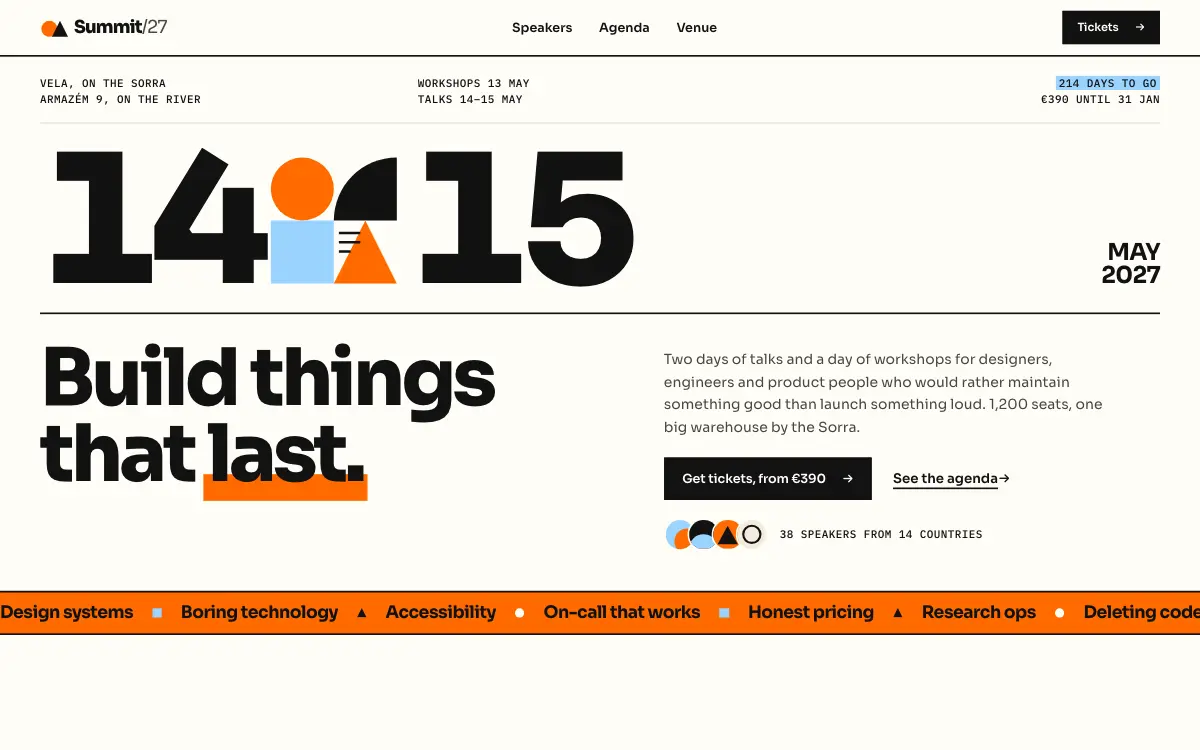
Your AI can invite people as soon as you connect it. You approve each invite once, and we email you every time, with a link to remove the person. Each Developer works from their own AI, and every version records who published it and which pages changed.
Example: on a conference website, Ana types “Let sam@company.com edit this site too” in the AI chat on her laptop. Her AI replies with a Page Lemon link to approve adding 1 Developer. She opens it, a short sheet asks “Add Sam as a Developer?”, she presses Approve and a check shows Sam is invited. On Sam’s phone, an email notification says Ana invited him to summit27. He taps it and he’s in, ready to edit with his own AI. Later Ana asks her AI what happened on the site in the last 7 days. It replies that Sam and Tim published 7 versions across 5 pages: the agenda (Sam, 3 versions), the speakers (Tim, 2, with 2 new photos), the venue (Sam, 1), and tickets and home (Tim, 1 version changing both).
Get form replies

No mail server to set up and no code to write. Page Lemon receives every message, emails it to you and keeps it in your dashboard. Forms come with paid plans.
Example: on a bakery website with a contact form, you type “I’ve got a form. Email me what people fill in.” Your AI shows what it will set up: the name, email and message fields, all required, each message emailed to juno@company.com. It asks if that’s right. You say yes, and it replies that the form is live. A visitor clicks into each field, types their name, email and a question about a rye loaf and presses Send, and the same message arrives as an email to juno@company.com. Then you type “Show me the enquiries from the last 2 weeks”, and your AI lists 5 enquiries with the name, date and topic of each, then gives a link to see them all in your Page Lemon dashboard. You click the link, and the dashboard opens on your form’s messages in the Lists tab, with the five messages, each with buttons to archive or bin it.
Add a pay button
One chat sets up a product and a monthly plan. Your customers pay on Stripe’s own page, and the money goes straight to your Stripe account. Your AI can list orders and issue refunds when you ask.
Example: Ines has a simple café website. She types in her AI chat: “Let people buy my oat loaf on this page, for £6”. Her AI replies that there’s a Buy button on her page, and the money goes straight to her own Stripe. The Buy button appears on the oat loaf. A customer, Mia, presses it on her phone: Stripe’s payment page shows £6.00, she pays, and sees that her loaf is ready at the counter. Ines gets a notice: new order, paid to her Stripe.
Add sign-up and log-in
Page Lemon runs the sign-in: Google or an emailed code, on the web and in mobile apps, and the rules that show each user only their own records. One account works everywhere.
Example: Hana has an expense app. She types in her AI chat: “My app needs sign-up and log-in”. Her AI replies that there’s a Sign in button in her app: people can sign up and log in with Google or an email code, and each person sees only their own expenses. A Sign in button appears at the top of the app. She clicks it, and a sign-in box opens with a Sign in with Google button, and below it a field to get a code by email.
A backend for your team’s tools
The backend is what runs behind your tools and apps: the lists that keep the data, sign-in, rules about who sees what, emails and payments. Page Lemon runs all of it, and everything you add lives in the same workspace.
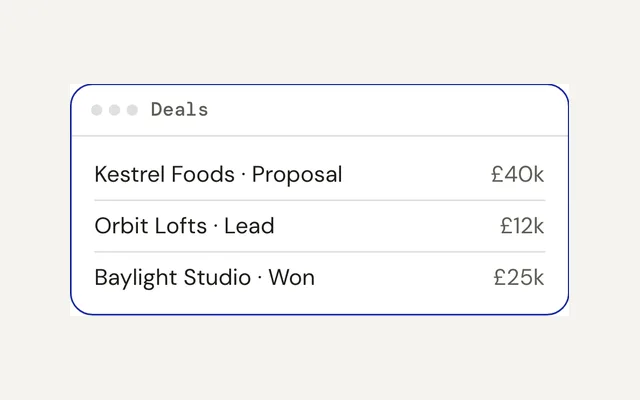
Example: Jo has drawn the screens of his company’s internal CRM, with Clients and Candidates lists that only hold sample data. He types in his AI chat: “I made the visuals for my company’s internal CRM, but there’s no real data. Add a backend so sales can add clients and recruitment can add candidates.” His AI replies that sales can now add clients and recruitment can add candidates, saved for real, with sign-in for his team only. The sample data is replaced by real clients: Northwind Ltd, Bluebird Co and Kestrel Labs, and then real candidates: Priya Nair, Tom Ellis and Aisha Khan.
Put AI inside your app
Your AI designs the app; Page Lemon runs the sign-in and the AI call, on your own AI account or key, such as ChatGPT or OpenRouter. It is kept sealed and never shown.
Example: Leo has a tarot app. He types in his AI chat: “Add AI connected to my ChatGPT account, so users can draw cards, get daily readings and ask questions”. His AI replies that Draw a card, Daily reading and Ask a question are live in his app, answered through his ChatGPT account, and that he connects the account in his Dashboard, never in the chat. In the app a visitor presses Draw a card, the card turns over to show The Star, and the AI’s reading appears: hope and calm after a hard stretch; trust the small signs today and let go of one old worry.
How it works
Everything done inside any AI chat.
-
Make your site, app or backend with any AI
Ask Claude, ChatGPT, Cursor or any AI chat, or start from a free template.
-
Deploy on PageLemon.comPaste one line, and it’s live
Send “Deploy on PageLemon.com” in the same chat. Your AI replies with your link.
Using Claude, ChatGPT, Gemini or Grok? Connect within a minute. Claude Code and Codex work right away.
Why Page Lemon
Build with the AI you already use. Page Lemon runs it, and you stay free to leave.
-
Works in your AI chat
ChatGPT, Claude or any AI chat builds and fixes your site. Nothing new to learn.
-
The backend, just by asking
User sign-in, a database, payments and subscriptions, set up when you ask.
-
Never locked in
Your files, data and Stripe stay yours. Take them anywhere, any time.
-
- AI credits to buyNone
- A charge for each promptNone
- Your plan, each monthOne price
No AI credits to buy
Page Lemon never charges for tokens. You pay for your plan, not for every message.
-
Secure by default
Continuous backups, approval for risky actions, and each person sees only their own records, checked on our servers.
-
 Watch it
Sites, apps and tools in one place
Websites, web apps, mobile apps and internal tools, all from the same chat.
-
Live from one prompt
Your site goes live from one prompt; add your own domain on a paid plan.
-
Get paid to your own Stripe
Payments and subscriptions go straight to your Stripe account.
- Buy buttons on your own StripeLive
- Paid memberships and tiersLive
- Checkout with stock and shippingLive
- AI in your appsLive
Built in. Already handled.
The groundwork is done for you: security, reliability and privacy, on every site.
Everything that’s built inHTTPS everywhere
On every address, including your own domain.
Security headers
Set on every page we serve.
Access checked on our servers
Who sees what is never left to your site’s code.
Rate limits and bot checks
Limits on requests, and bot checks on forms.
Abuse and phishing screening
Every publish is checked before it goes live.
Protected outgoing calls
Webhooks, feeds and imports can’t reach private networks.
A global network
Served from the edge, with DDoS protection in front.
Backups on two providers
Database backups to two separate providers, with restores tested.
Every change is a version
Bring an earlier one back in one sentence.
No double charges
A payment sent twice is charged once.
Cookie-free visitor counts
No cookies, and Do Not Track is respected.
Export and delete
Take your data with you, or erase it.
Works with the tools you know
Your AI connects them for you.
Plus any AI app that can use tools or MCP.
For whatever you want to build
Pick what you want to build, then paste its prompt into your AI.
Anyone can visit: a menu, a portfolio, a shop.
Make a website for my café, then Deploy on PageLemon.com
Your users sign in and see their own records.
Build an app where my clients sign in and see their own bookings, then Deploy on PageLemon.com
Your team signs in and works on shared records by role.
Build an internal CRM for my team, then Deploy on PageLemon.com
Your own app or script reads and writes its data through the API. Page Lemon runs the backend.
Build the backend for my app, then Deploy on PageLemon.com
Your iOS or Android app signs users in and uses Page Lemon as its backend. See the API docs.
Build my mobile app and run its backend on PageLemon.com
A launch page for what you built, with sign-ups.
Make a launch page for my app with an early-access sign-up, then Deploy on PageLemon.com


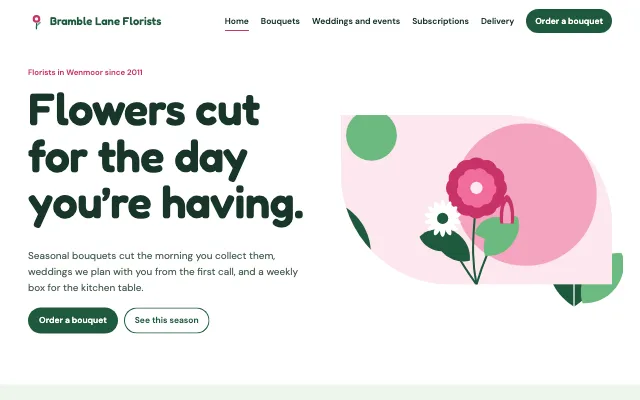


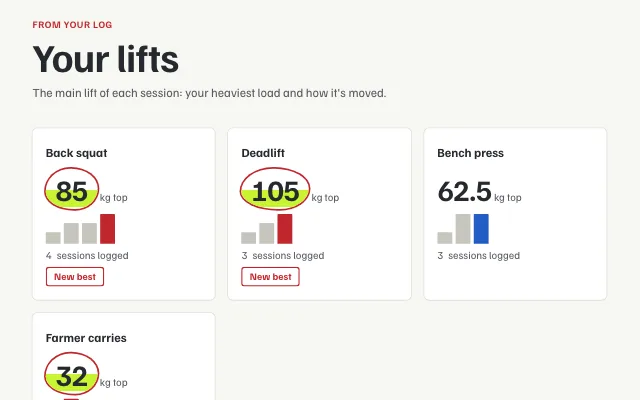
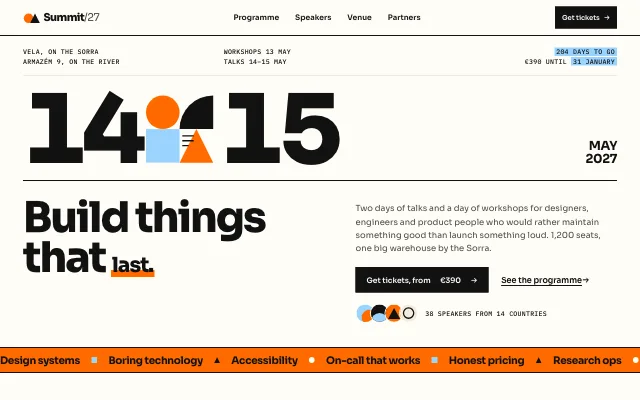
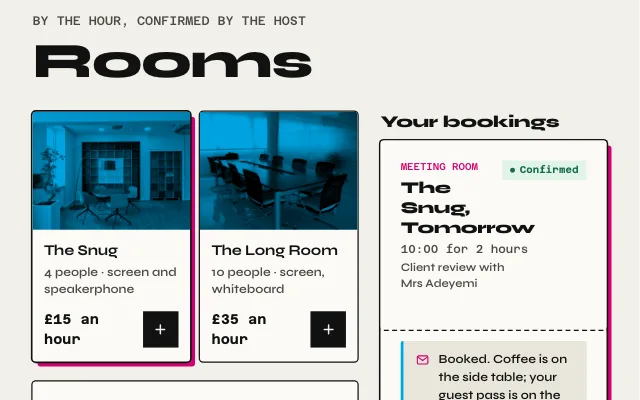

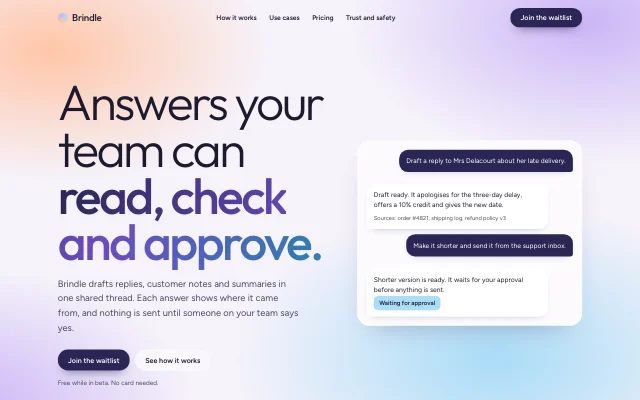
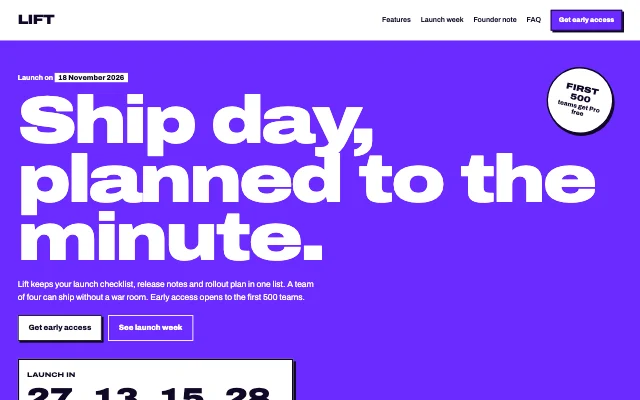

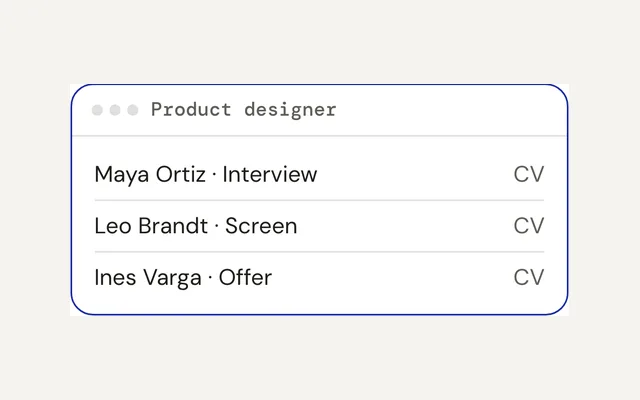
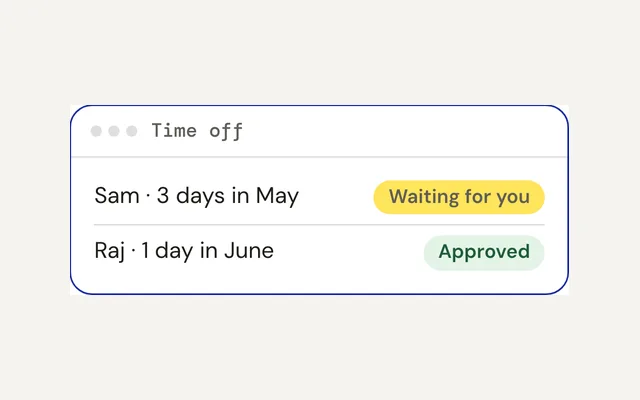
Every example starts from a free template you can make your own. Browse all templates
Good questions
More answers in the help center, and how we keep your sites safe on the security page.
Can Page Lemon run what I built in Lovable, Bolt or Cursor?
Yes, if it’s a website or an app that fits what Page Lemon runs: pages, lists for your data, sign-in, rules, payments, bookings and emails. Ask your AI to point it at Page Lemon, then paste “Deploy on PageLemon.com”. Page Lemon doesn’t run your own server code, so anything custom stays where it is and talks to Page Lemon through its API.
Do I need AI credits?
No. You keep working in the AI chat you already use, for as long as it takes to get it right. Page Lemon has no AI credits and doesn’t charge per prompt. If your app uses AI inside it, that runs on your own key from an AI provider, on the plans that include it (see pricing).
Can Page Lemon run my backend?
It runs the backend behind your site or app: lists that keep your data, sign-in, rules about who sees what, payments, bookings, automations and emails, all reachable through an API. Describe what you need and your AI sets it up with these parts. It doesn’t run your own server code.
Do I need to know how to code?
No. You ask your AI in plain words, the same way you made the site, and it does the technical part with Page Lemon. If you’d rather click, your dashboard shows your sites, messages and bookings.
What does it cost, and can I stay free?
It’s free to start. Free gives you:
- Live sites on yourname.pagelemon.dev
- Edit any time by asking your AI
- A password on any site
- No card needed
Want more? Every paid plan adds:
- Your own domain
- No Page Lemon badge
- Forms that email you each new message
- Invite-only sites for the people you choose
Plans are a flat price, with no charge per prompt. See pricing
What happens if I stop paying?
Your sites stay online. After 14 days you’re on Free: the small badge comes back, your own domain stops showing the site, which keeps its free address, and older versions past Free’s history are removed. If you have more sites than Free allows, the others stay online but can’t be changed until you choose which to keep editing. Pay again any time to pick up where you left off.
Can I leave and take my site with me?
Yes. Your site is ordinary files that any web host can serve. Download the whole site as a zip from your dashboard, or ask your AI to download it for you, and export your data too. Your domain stays yours. Leaving Page Lemon.
Is my users’ data safe?
Your users sign in with an emailed code and each one sees only their own records. Who sees what is checked on our servers. Every change is saved as a version you can bring back, and the database is backed up to two separate providers. We never sell your data, show ads or use your sites to train AI. How we keep sites safe.
Which AI can I use?
Claude, ChatGPT, Codex, Cursor and other AIs that can connect to apps through MCP publish and edit your site for you (how to connect). You can switch AIs whenever you like; your site stays the same.
Can I use a domain I already own?
Yes, on any paid plan. Ask your AI to connect it. It gives you a link that shows each step at your domain company, or you can send it to whoever looks after your domain. The domain stays yours, and you keep renewing it there.
Can I build a mobile app on Page Lemon?
Your iOS or Android app can use Page Lemon as its backend: sign-in with Google, your data under your rules, subscriptions through RevenueCat and push notifications. You still build the app with your AI and publish it to the app stores yourself.
What if I get stuck?
Ask your AI first: it can check your site and read our docs. The help center and your dashboard have step-by-step answers. Messages about your account, billing or privacy always get a reply.
My AI gave me an HTML file. How do I put it online?
Open pagelemon.com/publish and paste the code, or drop the file, to get a live link, with no account. Or connect Page Lemon to your AI once and it publishes for you. Step by step: Claude or ChatGPT gave me an HTML file.
Can other people edit my site with me?
Yes. Ask your AI to invite them by email and approve the invite once; they edit with their own AI. If two people change the site at once, Page Lemon stops one change from wiping out the other, and every change is saved as a version. We email you whenever someone is invited. Your plan sets how many people can edit (see pricing).
Where can I learn to make a better site?
In our free guides: prompts for a beautiful site, colours and fonts that work, copy that doesn’t sound like AI, and a checklist before you launch.
Your website is one sentence away.
Start free and launch the site your AI made. No site yet? Pick a template and let your AI make it yours.