For clubs and groups of adults
A habit and goal tracker for your club
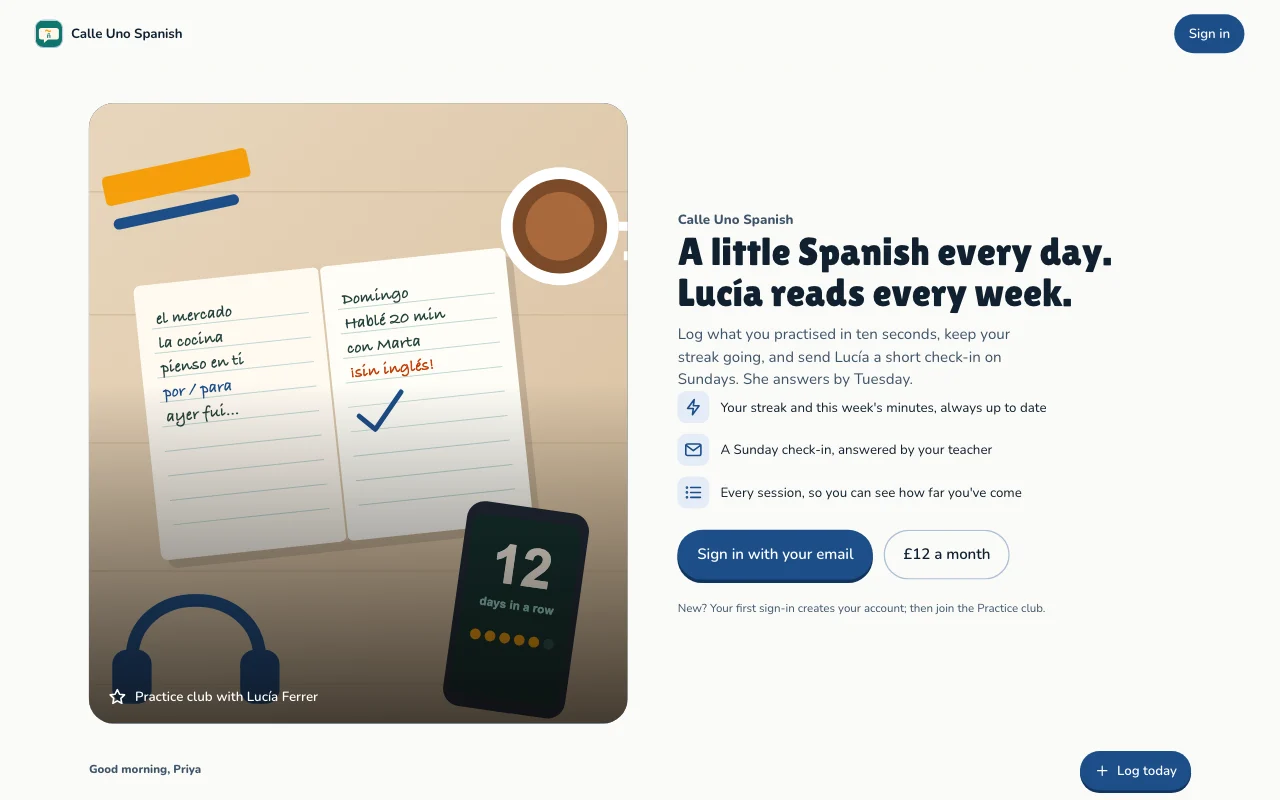
Users log what they practised and for how long, set goals and see their streaks and progress. Each user sees only their own log.
- Daily check-ins
- Streaks and weekly totals
- Goals with progress
This is for you if you say
- “Our club wants a simple way to log practice every day.”
- “Everyone should see their own streaks, not each other's.”
- “Spreadsheets get messy and nobody opens them.”
The problem
A shared spreadsheet shows everyone's entries, breaks on phones and nobody keeps it up after week two.
How Page Lemon helps
Your AI builds the tracker for your club's habits. Users add it to their phone's home screen, log in seconds and see their run grow.
How it goes
From one line in your AI chat to a site that works for you.
-
You paste one line
Build with PageLemon.com: a practice log for my club where each member logs reading, writing or language practice and sees their streaks
Into Claude, ChatGPT or any AI chat. Your AI asks for your details: names, prices, times and photos.
-
Your AI builds these pages
- Home
- The public page: what the club is for and how to join.
- Today
- Your streak, this week’s minutes and your goal’s progress.
- Log
- What you practised, for how long and a note, with today’s date filled in.
- Check-in
- A short weekly note to the organiser, who reads it and answers.
- History
- Every entry so far, by week.
- Plan
- Your goals and why they matter.
-
It’s live, and you run it from the chat
debate-society.pagelemon.dev/app
Page Lemon runs the parts behind it:
- User sign-in
- Streaks and progress
- Goals
- Private by default
To change anything later, ask your AI. Every version is saved.
Start with one line
Paste one of these into your AI chat (Claude, ChatGPT or another). Your AI asks for your details, builds the site and puts it online at a free address.
You type in your AI chat
-
Deploy on PageLemon.comThe quickest start: your AI asks what the site is for, picks a design and puts it online.
-
Build with PageLemon.com: a practice log for my club where each member logs reading, writing or language practice and sees their streaksYour AI builds the pages and sets up the check-in and goal lists.
-
Use template pagelemon.com/tp/Streak for my club's practice logStarts from the Streak template: streaks, goals and a log form.
Once it’s live, ask your AI
Three things you might say next, and what happens.
You type in your AI chat
-
Add a habit called KnittingIt appears in the log form and the goals.
-
Invite the 12 people in our clubEach gets an invitation email and signs in with a code.
-
How many check-ins this week?The count across the club. Nobody's entries are shown to you here.
What it costs
Paid plan
Users need a paid plan. How many you can have depends on the plan.
Not for you? Full refund within 14 days, no questions asked.
What it uses
User sign-in
Users sign in with a code sent to their email. No passwords, and each one sees only their own records.
Streaks and progress
Worked out on the page from each user's own check-ins.
Goals
Users set a goal and the days they want to practise.
Private by default
App pages live under /app. Your home page stays public; nobody's entries are on it.
Templates to start from
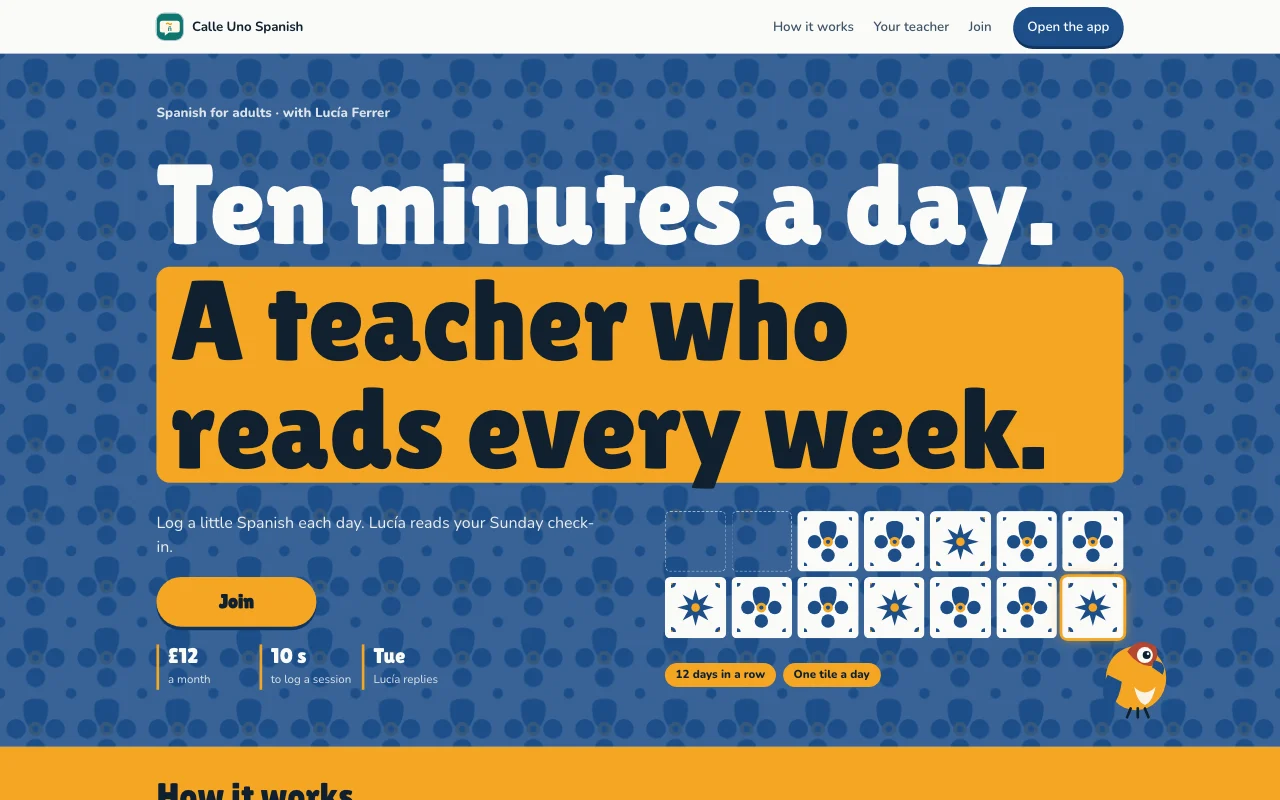 StreakAzulejo tiled wall in blue, tile white and marigold, with a tile painted in for every day you practise
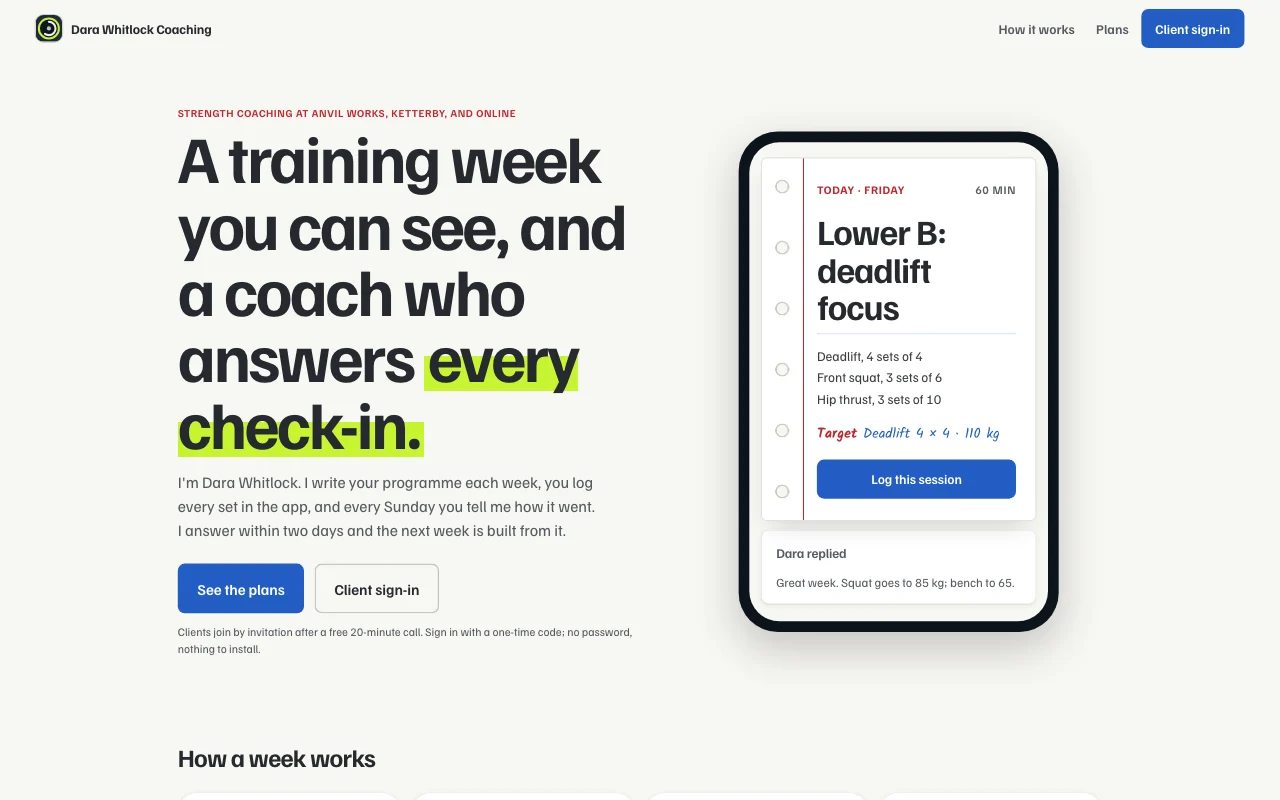 SpotterChalk line: slate blue, chalk white and highlighter lime, with whiteboard programme cards and a barbell-plate progress ring
 StrideClub vest: racing green and amber stripes like a club vest, white race numbers, a running-track lane motif, bold condensed headings, dark scheme
 RepGym whiteboard on steel: chalk boards, a yellow primary and plate colours, with a drawn barbell and condensed type
Preview Streak (opens in a new tab) Preview Spotter (opens in a new tab) Preview Stride (opens in a new tab) Preview Rep (opens in a new tab)
Questions
Who can see what users add?
Each user sees only their own entries and the ones you assign to them. You see everything in your Page Lemon Dashboard. Your AI reads entries only if you turn that on for a list, and it never changes or deletes what a user wrote.
How do users sign in?
With their email: they get a code and type it in. No passwords to forget, and nothing to install; it works in the browser on any phone.
Can I track workouts, sleep or mood?
Practice, reading, saving, side projects and training logs such as minutes or sets are fine. Health, sleep, mood and therapy records aren’t allowed in apps (Acceptable Use).
Can I answer users’ weekly check-ins?
Yes. In the Streak template each user sends a short note on Sunday and sees your answer on their Check-in screen. You find every check-in in your Dashboard.
Can I charge for the club?
Yes, on some paid plans: set a monthly or yearly price and users pay to your own Stripe account. On any paid plan, add a Buy button with a Payment Link for a one-off fee.
Can it be just for me?
Yes. Invite only yourself; you’re the only user.
Is it for children?
No. Users must be 18 or older.