For freelancers and agencies
Build sites for clients, preview them privately, hand them over
Show each client a private preview before launch, make them an editor, and transfer the site when the job is done.
- Private previews for clients
- Clients edit from their own AI
- Hand the site over when you're done
This is for you if you say
- “I build websites for clients, on my own or in a small studio.”
- “The sites are made with AI, but putting them online and changing them eats hours.”
- “I want clients to see a draft privately, then take the site over.”
“We make beautiful sites with AI, then pay a lot and lose hours just to put them online and change them.”
Put each client's site online in one sentence, and keep changing it the same way. There is no hosting to manage and nothing to configure.
Quotes are needs we heard from people we talked to, reworded. They are not reviews.
What you’ll build
- A site per client
- Each with its own address and history, all in one account.
- A private preview
- Only the people you invite can see the draft.
- The client's domain
- Your AI gives you a link; the client clicks Connect at their domain company, and HTTPS is switched on.
- The handover
- The client accepts the site and owns it from then on. You can stay on as an editor.
Ask your AI
Three things you might say once it’s live, and what happens.
You type in your AI chat
-
Give sam@harbourco.com a private preview of the new site before launchSam gets an email invite as a viewer and signs in with that address to look. Viewers can't change anything.
-
Make the client an editor on harbourcoThey can change the site from their own AI, such as their opening hours, and every version records who published it.
-
Transfer the site to sam@harbourco.comYou approve it, and Sam accepts by email. Until Sam accepts, you can cancel.
How it works
Pick a template
Choose one of the designs below, or start from the site your AI already made.
Paste one line into your AI
It builds your site and puts it online at a free address, with nothing to install.
Use template pagelemon.com/tp/TandemChange it by asking
Add pages, forms or people from any AI chat. Every version is saved.
What it uses
Private previews
Invite clients as viewers. They look; they can't change anything.
Client editors
Clients and colleagues edit from their own AI.
Hand a site over
The client accepts it and owns the site. You can stay on to help.
Who changed what
Every version records who published it. Go back in one sentence.
Clients' domains
Put each client's site on their own domain.
Start from a template
Start any client from a template, or from what your AI already made.
Templates to start from
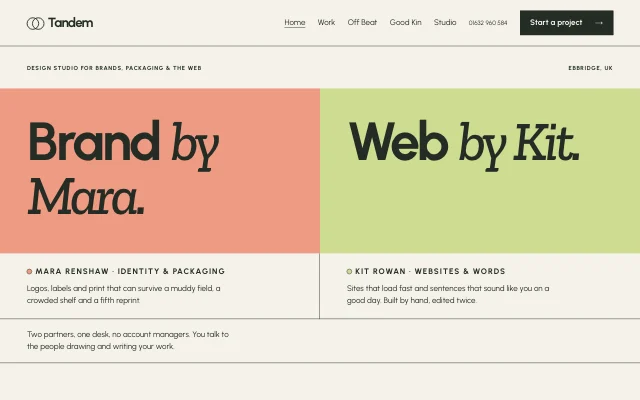 TandemTwo-person studio, split-screen identities
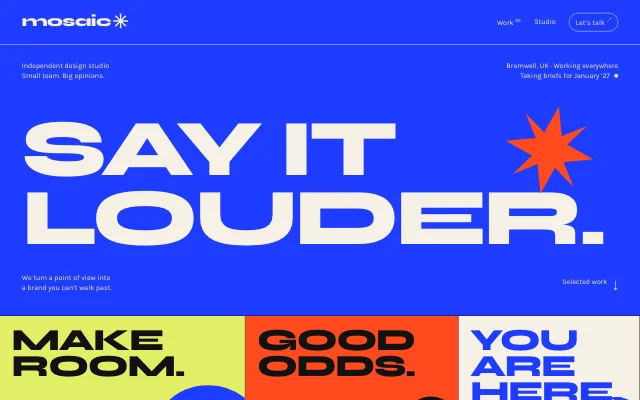 MosaicA loud, colour-blocked design studio with expressive giant type, a hard editorial grid and playful project posters.
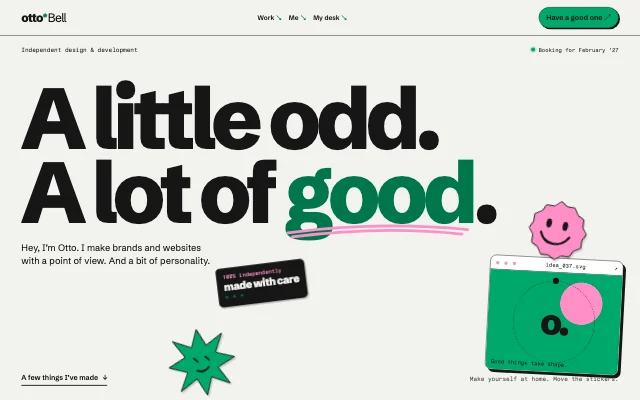 OttoA playful designer's desk with notebook grids, oversized type, movable stickers and tactile project previews.
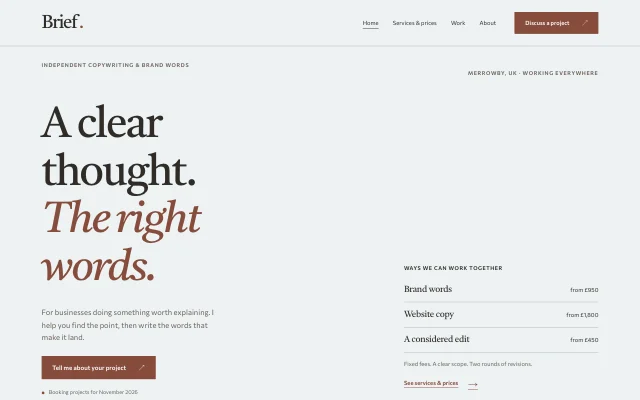 BriefCalm consultant or copywriter, services and prices up front; quiet editorial proofs
Questions
Do I keep access?
If you both want. You can stay on as an editor after the handover.
Does the client need to know how to code?
No. They change their site by asking their own AI, the same way you do.
Can I use a password instead of inviting viewers?
Yes: one password for everyone you share it with. Viewers are better when you want to let people in and remove them one by one.
Is there a handover checklist?
Yes: our freelancer's handover checklist covers what to check before you hand a site over.