

A backend for the app you are building.
Your front end can be a Lovable build, a Next.js app or a phone app. Page Lemon holds the sign-in, the data and the rules about who sees what, and your AI sets them up.
AIチャットに貼り付け
PageLemon.comで公開して


From an empty backend to a working app
The steps in the order they come. Start with whichever you’re at.
-
The data
Your app needs somewhere to keep things, and rules about who sees them
Say what your app stores. Your AI creates the lists and the rules, so each signed-in person sees only their own records and you see them all.
A real template: Casebook. Preview it (opens in a new tab) AIチャットに入力する内容
Run the backend for my app on PageLemon.com: people sign in, and each sees only their own receipts- “Add a status field that only I can change” Your AI adds the field and the rule.
- “Show me the records so far” Your AI reads them only if you allow it for that list.
-
The sign-in
Your front end needs people to sign in
Users sign in with an emailed code on the web, and with Sign in with Apple and Google in a phone app. One account works everywhere.
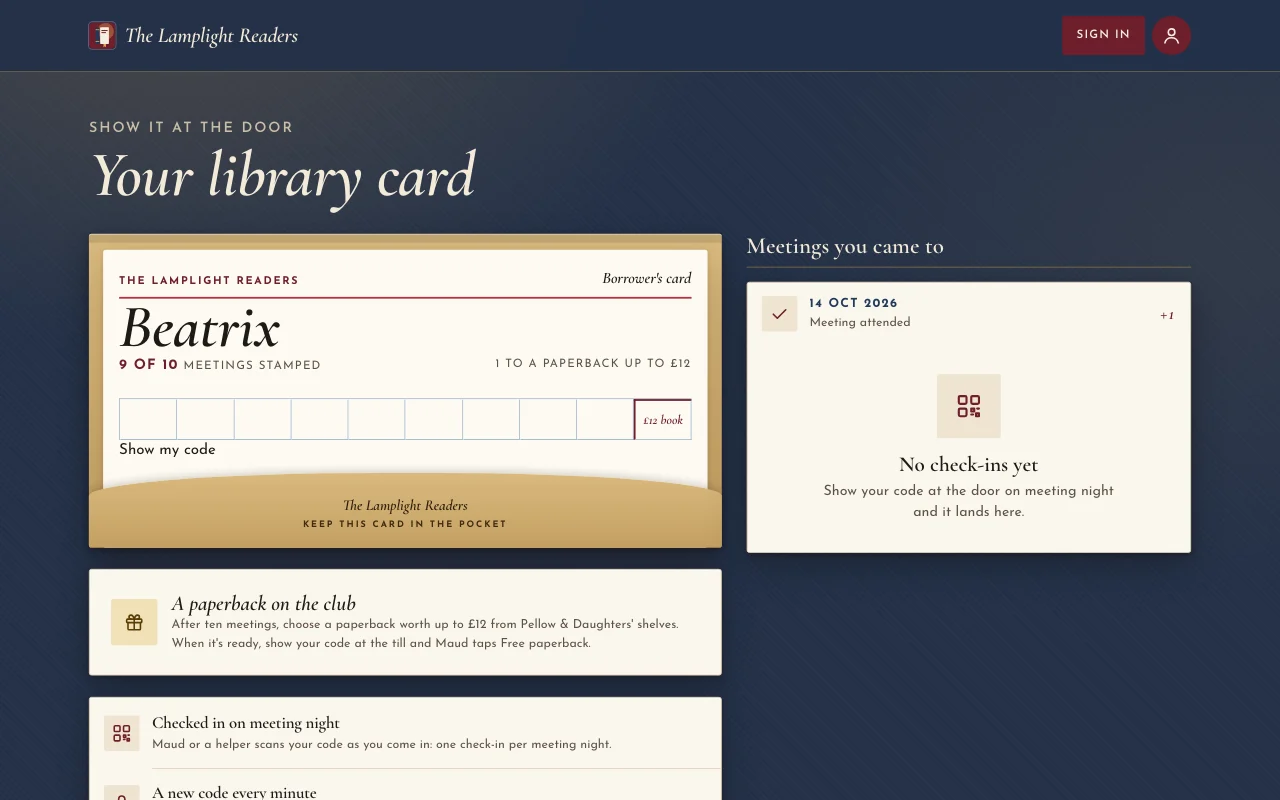
本物のテンプレート:Chapter。プレビュー(新しいタブで開きます) AIチャットに入力する内容
Set up sign-in for my app: invite only, and let me approve requests- “Let anyone sign up” Your AI changes the setting.
- “Who signed in this week?” Your AI shows the counts.
-
The API
Your own code calls Page Lemon
Your front end reads and writes the lists through the API as the signed-in person, with a key for each app. The API docs list every call.
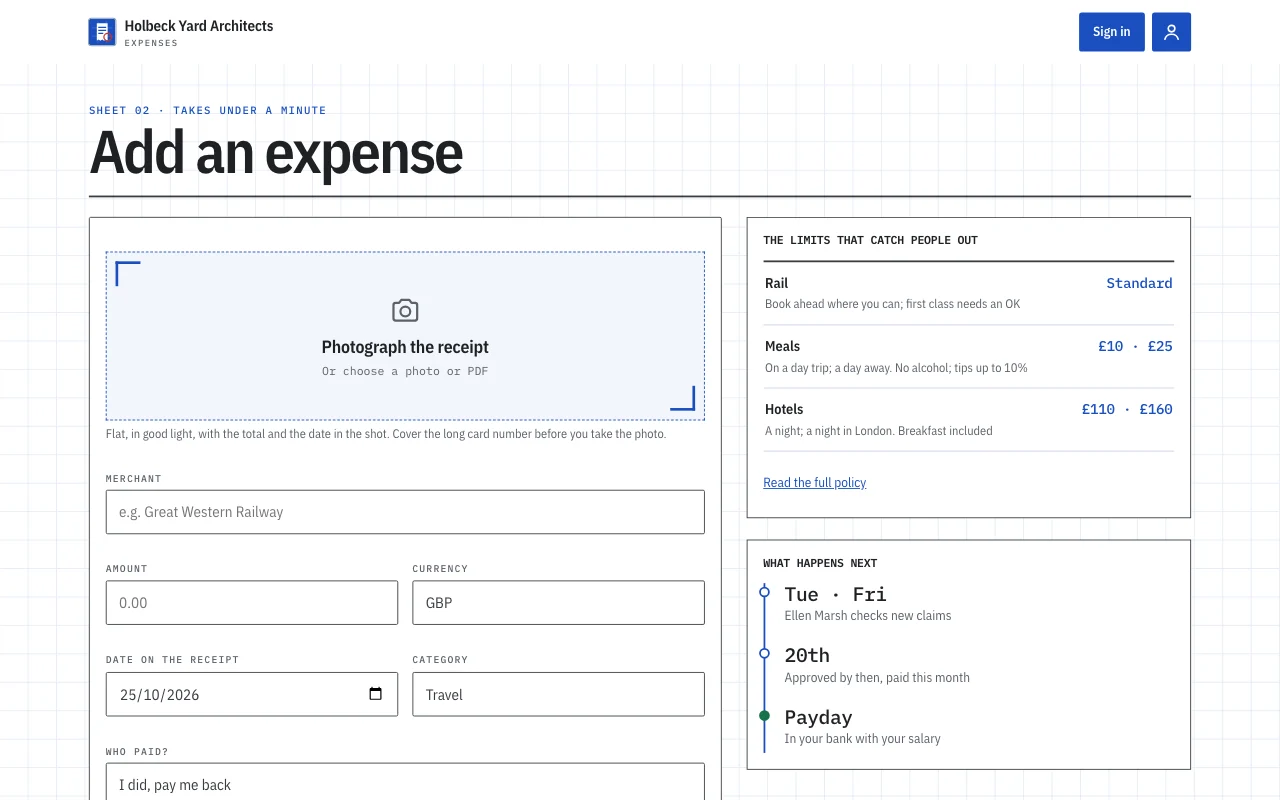
本物のテンプレート:Expense log。プレビュー(新しいタブで開きます) AIチャットに入力する内容
Give me the API address and a key for my app- “Call me when a record is added” Your AI sets a webhook to an address you give it.
- “Rotate the key” Your AI makes a new key and retires the old one.
何が置き換わるか
いつものやり方と、チャット1つのやり方。
TodayA backend you set up, host and keep patched.
With Page LemonSign-in, data and rules run by Page Lemon, set up by asking.
TodaySign-in code written for every app.
With Page LemonOne sign-in for the web and for phone apps.
TodayRules about who sees what, written in your own code.
With Page LemonEach person sees their own records unless you say otherwise.
TodayA separate service for emailed codes.
With Page LemonEmailed codes are built in.
かかる費用
Free is for building and trying it as a test user. A paid plan lets your users in.
無料
カードの登録は不要です。
- Build and try it as a test user
- yourname.pagelemon.dev のサイト
- 小さなPage Lemonバッジ
有料プラン
- アプリにログインしたユーザー
- The API for your own front end
- 独自ドメインで、バッジなし
合わなければ、14日以内なら全額返金。理由は聞きません。
まず本物を見てみましょう
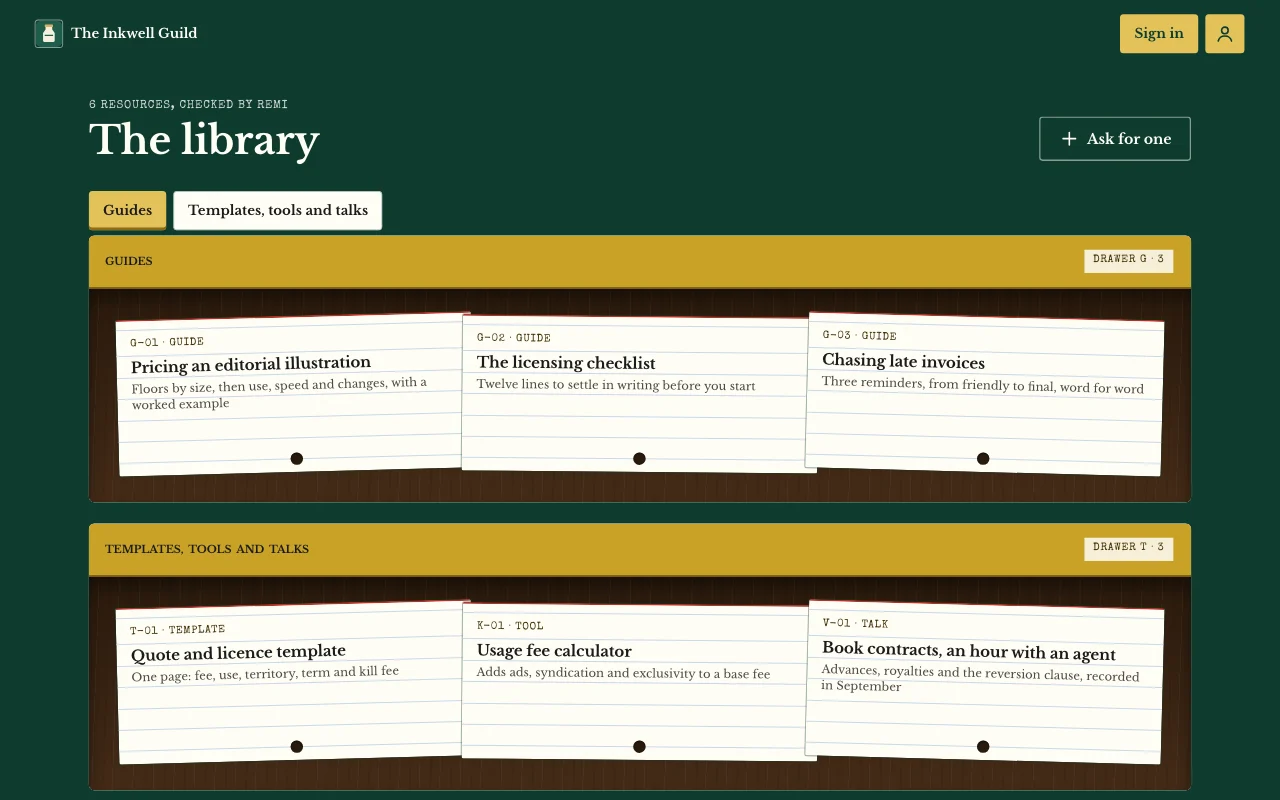
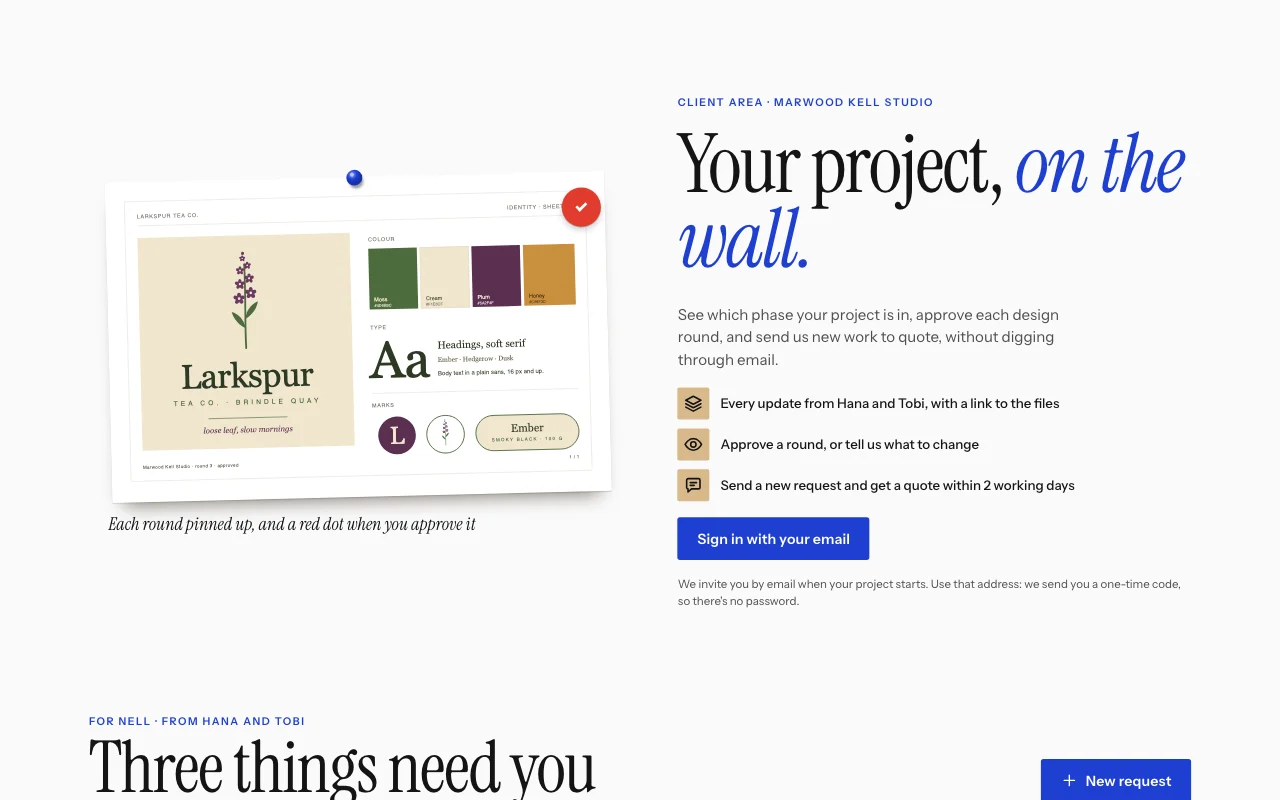
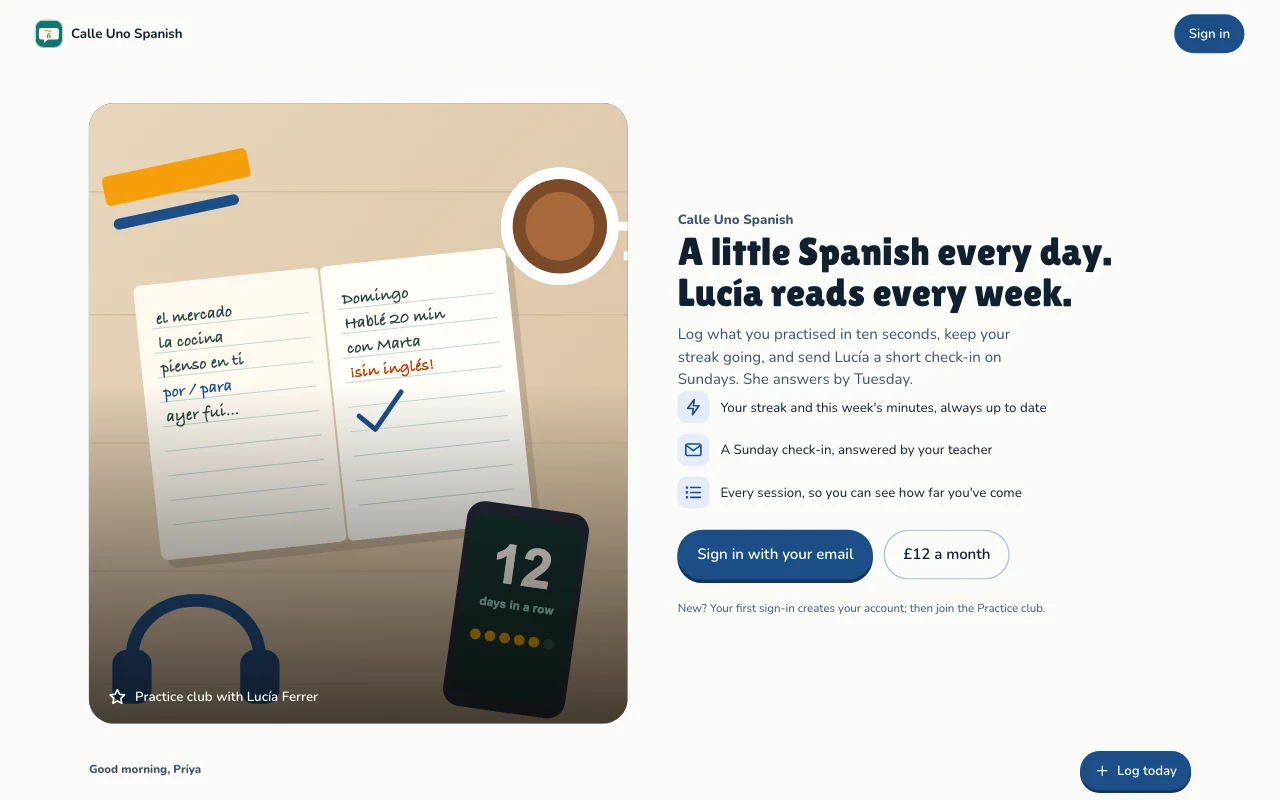
このページの画像はすべて本物のテンプレートです。開いて操作してみて、AIに自分向けに作り変えてもらいましょう。
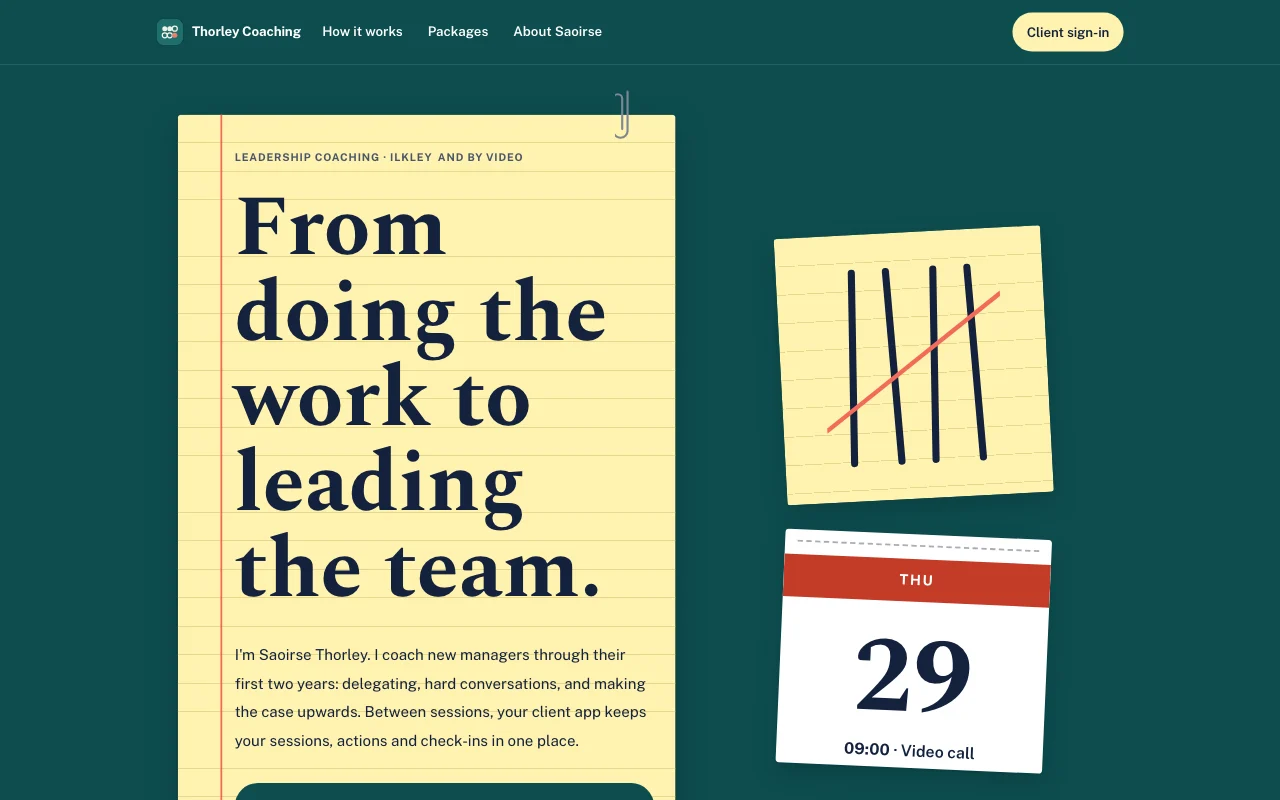 Tally(ライブプレビュー、新しいタブで開きます)ティールのデスクに置いた黄色いリーガルパッド、ペンで書いた集計用の線に重ねたコーラルの取り消し線、切り取れるカレンダーのページ
- Casebook (live preview, opens in a new tab)Manila accordion file with index tabs, tear-off deadline pages and red-ink stamps on typed slips
 Chapter(ライブプレビュー、新しいタブで開きます)ランプの明かりに照らされたブックカバー:オックスブラッドのポスター、Cormorantのイタリック、棚に並ぶ背表紙、スタンプの押された図書館の貸出カード
 Expense log(ライブプレビュー、新しいタブで開きます)アプリのテンプレート:小さなスタジオ専用の経費申請アプリ。スタッフはメールでログインし、スマホで領収書を撮影して1分足らずで申請できます。申請が「提出済み」から「承認済み」「支払い済み」へ進む様子を追い、オフィスマネージャーの質問に答え、受け取れる金額と月ごとの合計を確認できます。オフィスマネージャーはダッシュボードで承認と返信を行います。公開ページ、/app 以下のメンバー用画面6つ(ホーム、追加、申請、月別、ポリシー、アカウント)、空欄つきのプライバシー通知を備えています。
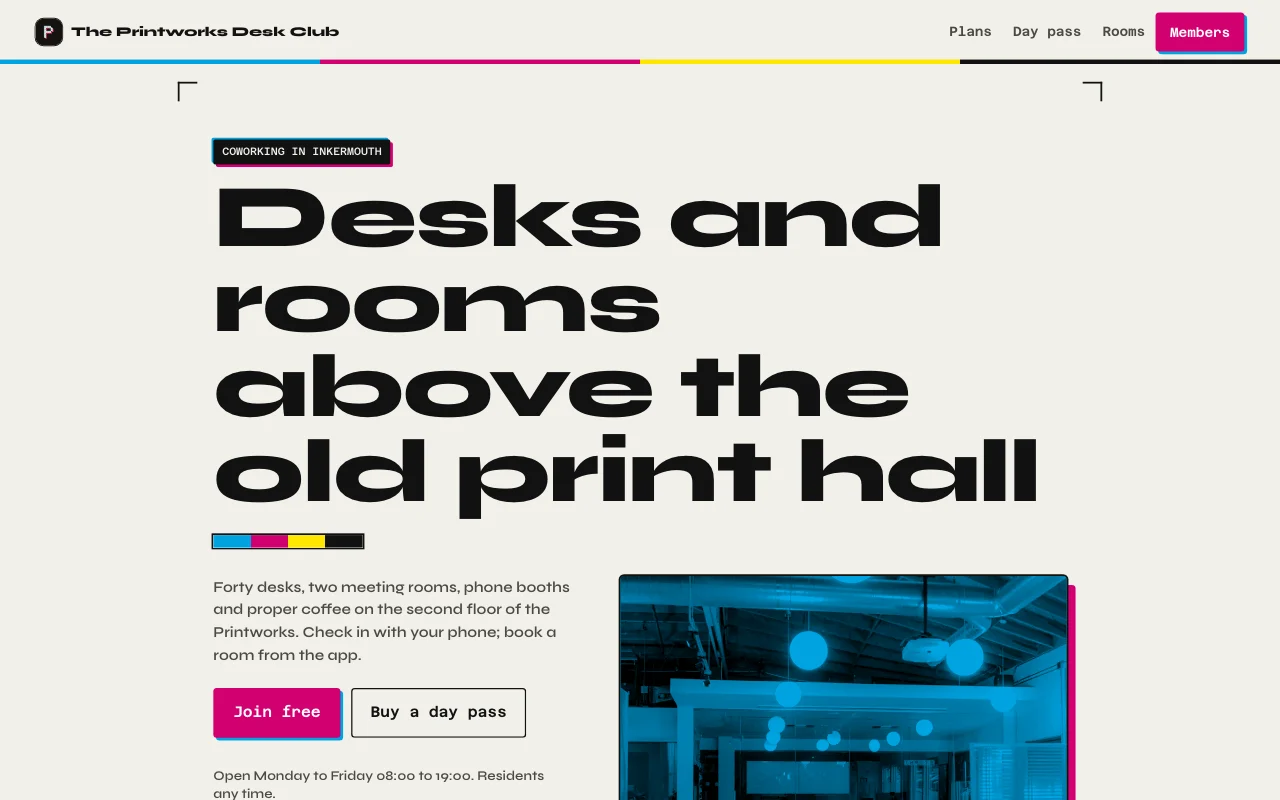 Desk(ライブプレビュー、新しいタブで開きます)印刷工房のインクの黒と紙、活版印刷由来のマゼンタとシアンのアクセント、作業場と両方の部屋の本物の写真、今月の利用日数メーターつきの会員カード
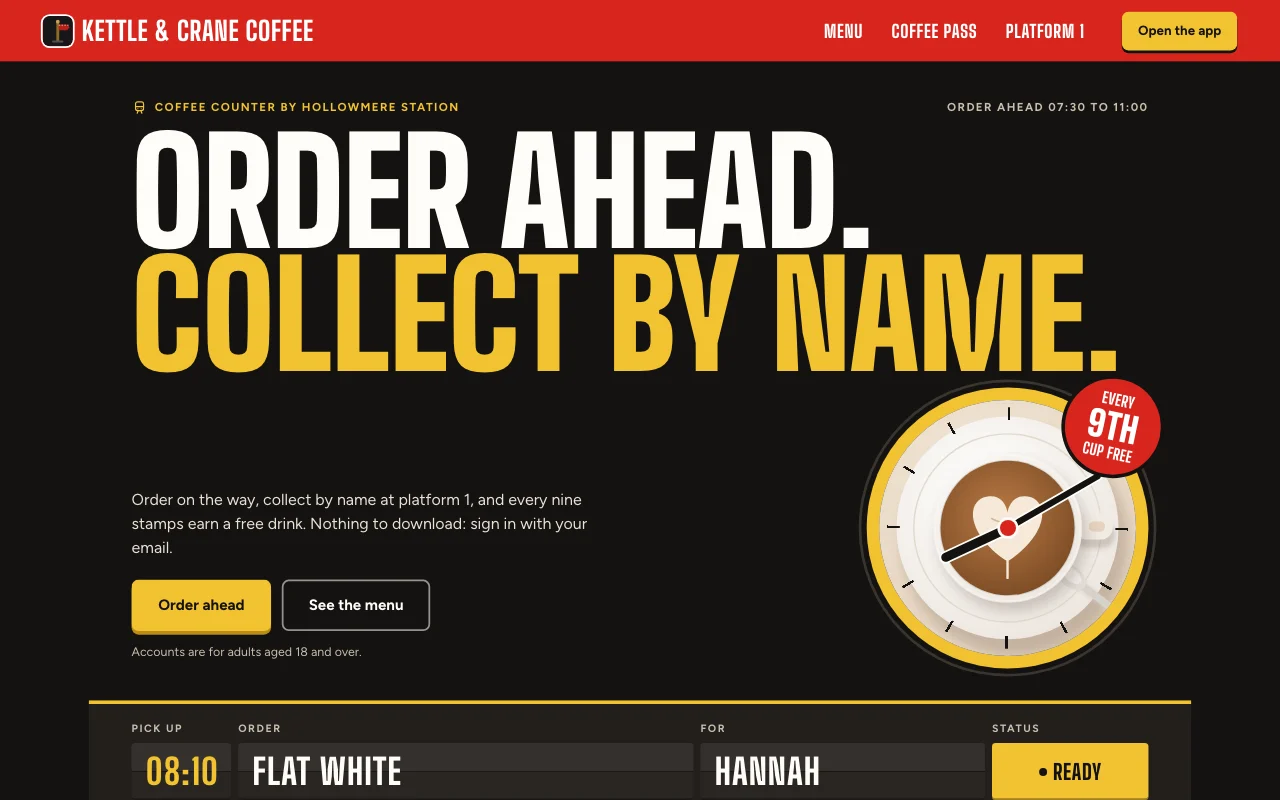 Cortado(ライブプレビュー、新しいタブで開きます)駅のカフェのアプリ。注文は出発案内ボード、赤いホームの標識、赤いインクのスタンプが並ぶ紙のスタンプカード
ステップごとのガイド
よくある質問
Which front end can I use?
Any that can call a web API: a Lovable or Next.js build, or a phone app. See the API docs.
Do my users need a Page Lemon account?
No. They sign in on your app with an emailed code, or with Apple or Google in a phone app.
Who sees the data?
Each person sees their own records and the ones you give them. You see everything in your Dashboard. Your AI reads records only if you turn that on for a list.
How many users can I have?
It depends on your plan: see pricing.
入れられないものはありますか?
Yes. Not health, mood or therapy records, children’s accounts, or card, bank or ID numbers.