Everything between “who’s in tomorrow?” and payday
Rotas, swaps, holidays, clock-ins and wage costs live in one place your team already has on their phone. Here is how each part works.
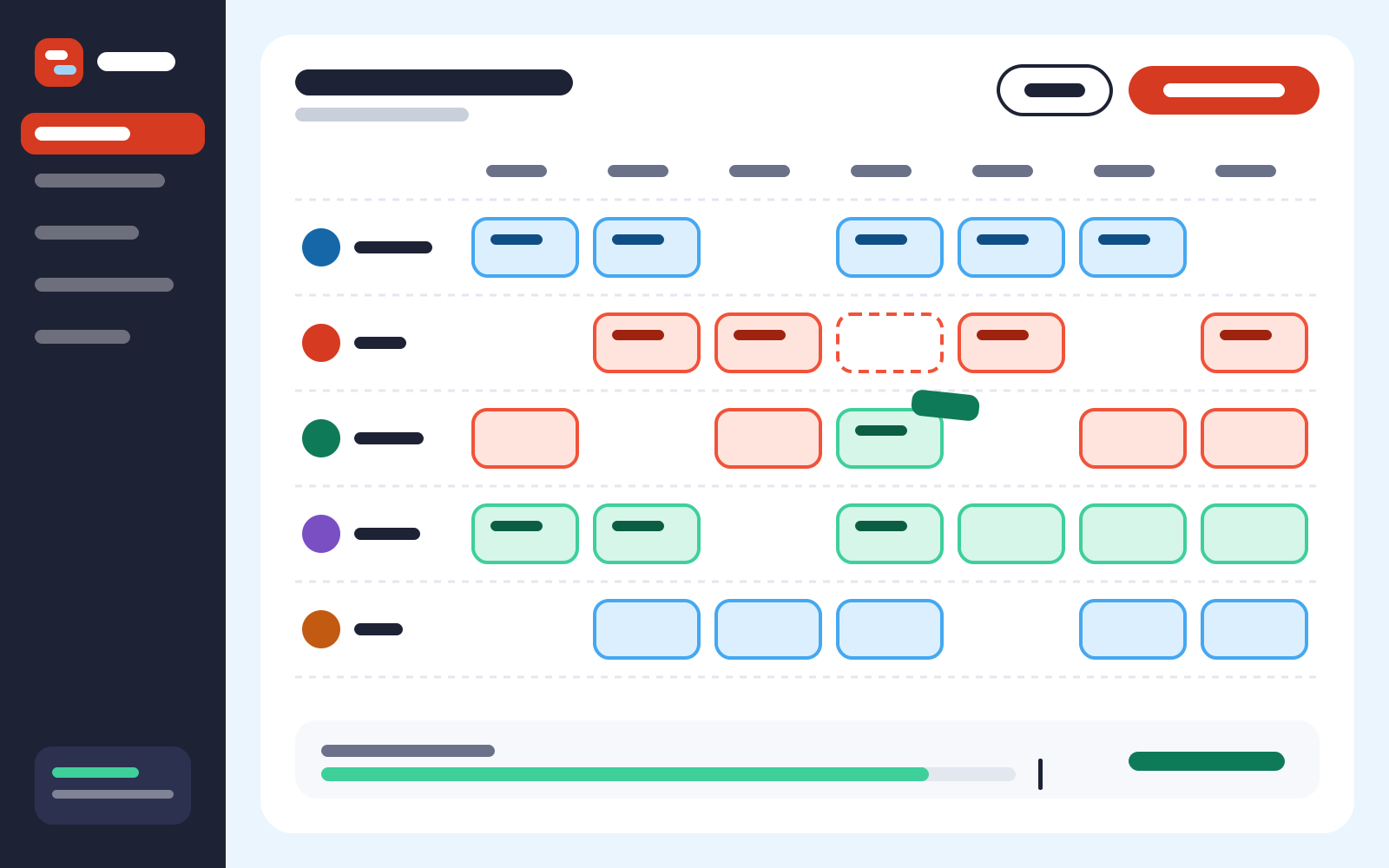
Rota builder
Build the week around who can actually work
Staff set their own availability in the app. When you build, the days they can’t do are already shaded, and Pinny flags anything that breaks a rule before it goes out.
- Copy last week, or start from a saved template
- Rest-break and under-18 warnings as you place shifts
- Open shifts that anyone qualified can claim
Flags before you publish Week of 18 Jan
- Amara has 10 hours between shifts on ThuCheck
- Jonah is 17: finish by 22:00 on FriFixed
- Saturday 12–14 has one person on the tillCheck
- Open shift Sun 10–16 claimed by LouDone
Shift swaps
Swaps that follow your rules, not the loudest voice
Choose what Pinny can approve on its own. Everything else lands with you as one tidy request with the hours and cost already worked out.
try the switches
Cover rules Tansy & Fig
- Auto-approve like-for-like swaps
- Only offer shifts to trained staff
- Block swaps that cause overtime
- Ask me about swaps under 12 hours’ notice
Holidays and availability
Holiday requests with the calendar right there
Requests arrive with the week they affect and who else is off. Approve in one tap and the allowance updates itself, part-timers included.
- Allowance worked out from hours, not guesses
- Blackout dates for Christmas and big weekends
- Term-time availability for students
February 2027 Priya
- Booked holiday
- Waiting for you
- Can’t work
Clock-in and timesheets
Clock in on the shop tablet, pay from real hours
Staff clock in with a four-digit code on a tablet by the till, or on their phone when they’re in the building. Timesheets match the rota, and late starts are flagged, not hidden.
- Breaks recorded, paid or unpaid
- Export for payroll as a CSV in one click
Thursday 14 January Timesheet
| Name | Rota | Clocked | Hours |
|---|---|---|---|
| Amara | 11–19 | 10:56–19:04 | 7.5 |
| Priya | 07–15 | 06:58–15:02 | 7.5 |
| Jonah | 12–18 | 12:14–18:00 | 5.8 |
| Lou | 07–15 | 07:00–15:10 | 7.5 |
| Total paid hours | 28.3 | ||
Wage cost
See wages against takings before the week starts
Pinny reads last year’s takings from your till export and forecasts each day. Every shift you add moves the wage line, so a quiet Tuesday never gets four people by accident.
Wages vs forecast Week of 18 Jan
Wednesday wages are 41% of takings. Drop one floor shift?
Sample chart: forecast takings and wages for each day. Wednesday wages are 41% of takings; every other day is under 30%.
Fits around what you already use
No new till and no new payroll. Pinny reads and writes plain files, so it works with whatever you have now.
Payroll export
Hours, breaks and holiday as a CSV your payroll accepts.
Calendar feed
Each person’s shifts appear in the calendar on their phone.
Till sales import
Upload daily takings and Pinny forecasts the weeks ahead.
Text or app
No smartphone? Shifts and swap offers arrive by text.
Built with a café, a noodle bar and a hardware shop
Pinny started with three local teams who were tired of the group chat. Every screen gets tested on a cracked phone, in a hurry, with flour on someone’s thumb.
Meet the teams
Try it on your own week
We’ll set up your venue and roles on a 20-minute call, then you build next week’s rota yourself.